

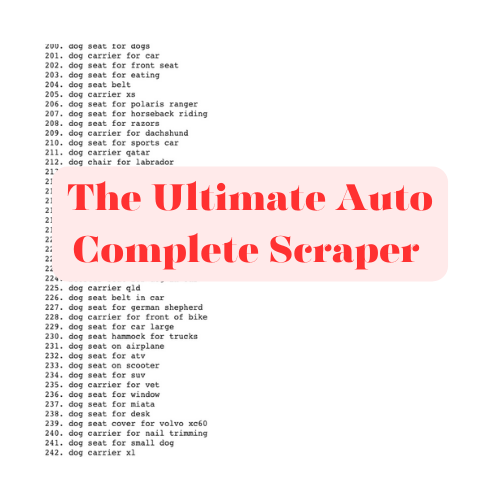
Build Your Own Powerful Google Suggest Keyword Scraper in Google Collab
I’ll walk you through how to scrape Google Suggest keywords using Python. This simple yet powerful script can fetch autosuggest terms related to a base query, helping you generate keyword ideas in no time. I’ll break down the code into manageable chunks, making it easy for you to understand and implement.
If you need a practical google suggest scraper, this walkthrough gives you a simple starting point you can run, extend, and adapt inside Google Colab.
You can also watch how to run and use the code in this video:
Importing Necessary Libraries
First, let’s import the libraries that we’ll use in this script:
python
Copy code
import requestsfrombs4importBeautifulSoup
importpandasaspd
fromgoogle.colabimportfiles
importipywidgetsaswidgets
fromIPython.displayimportdisplay
- requests: This library allows us to send HTTP requests to websites.
- BeautifulSoup: A library used for parsing HTML and XML documents.
- pandas: A powerful data manipulation library.
- files from
google.colab: Used to handle file uploads and downloads in Google Colab. - widgets and display from
ipywidgetsandIPython.display: These libraries help create interactive elements in Jupyter notebooks or Google Colab.
You might also be interested in my million backlink case study.
Fetching Google Suggestions
Next, we’ll define a function to fetch Google Suggest terms for a given query:
python
Copy code
defget_google_suggestions(query, hl='en'):
url =f"https://www.google.com/complete/search?hl={hl}&output=toolbar&q={query}"
response = requests.get(url) response.raise_for_status()soup = BeautifulSoup(response.text,'xml')
suggestions = [suggestion['data']forsuggestioninsoup.find_all('suggestion')]
returnsuggestions
- get_google_suggestions(query, hl=’en’): This function takes a search query and an optional language parameter (
hl), constructs the Google Suggest URL, and sends a request to it. - requests.get(url): Sends a GET request to the constructed URL.
- response.raise_for_status(): Checks if the request was successful.
- BeautifulSoup(response.text, ‘xml’): Parses the XML response.
- [suggestion[‘data’] for suggestion in soup.find_all(‘suggestion’)]: Extracts the suggested terms from the XML and returns them as a list.
Extending Suggestions
To get a more comprehensive list of suggestions, we can append characters to the base query and fetch additional suggestions:
python
Copy code
defget_extended_suggestions(base_query, hl='en'):
extended_suggestions =set()
extended_suggestions.update(get_google_suggestions(base_query, hl))forcharin'abcdefghijklmnopqrstuvwxyz':
extended_suggestions.update(get_google_suggestions(base_query +' '+ char, hl))
returnlist(extended_suggestions)
- get_extended_suggestions(base_query, hl=’en’): This function generates a set of suggestions by appending each letter of the alphabet to the base query.
- extended_suggestions.update(): Updates the set with new suggestions, ensuring no duplicates.
Capturing and Displaying Suggestions
We need a function to capture these suggestions and display them neatly:
python
Copy code
defcapture_suggestions(header, query, all_suggestions):
(f"\n{header}:")
suggestions = get_extended_suggestions(query) all_suggestions[header] = suggestionsfori, suggestioninenumerate(suggestions,1):
(f"{i}. {suggestion}")
- capture_suggestions(header, query, all_suggestions): This function captures suggestions, stores them in a dictionary, and prints them.
- print(f”\n{header}:”): Prints the category header.
- for i, suggestion in enumerate(suggestions, 1): Iterates through the suggestions and prints each one.
Downloading Suggestions as CSV
To save our suggestions, we’ll define a function to download them as a CSV file:
python
Copy code
defdownload_csv(button):
df = pd.DataFrame(dict([(k, pd.Series(v))fork, vinall_suggestions.items()]))
csv_filename ="google_suggestions.csv"
df.to_csv(csv_filename, index=False)
files.download(csv_filename)- download_csv(button): This function converts the suggestions dictionary into a Pandas DataFrame and saves it as a CSV file.
- pd.DataFrame(dict([(k, pd.Series(v)) for k, v in all_suggestions.items()])): Converts the dictionary into a DataFrame.
- df.to_csv(csv_filename, index=False): Saves the DataFrame as a CSV file.
- files.download(csv_filename): Initiates the download of the CSV file.
Running the Script
Let’s put it all together:
python
Copy code
base_query =input("Enter a search query: ")
all_suggestions = {}
capture_suggestions("Google Suggest completions", base_query, all_suggestions)
capture_suggestions("Can questions","Can "+ base_query, all_suggestions)
capture_suggestions("How questions","How "+ base_query, all_suggestions)
capture_suggestions("Where questions","Where "+ base_query, all_suggestions)
capture_suggestions("Versus", base_query +" versus", all_suggestions)
capture_suggestions("For", base_query +" for", all_suggestions)
# Create and display the download buttondownload_button = widgets.Button(description="Download CSV")
download_button.on_click(download_csv)display(download_button)- base_query = input(“Enter a search query: “): Prompts you to enter a base search query.
- all_suggestions = {}: Initializes an empty dictionary to store the suggestions.
- capture_suggestions(…): Captures suggestions for different categories by appending various phrases to the base query.
- download_button = widgets.Button(description=”Download CSV”): Creates a button for downloading the CSV file.
- download_button.on_click(download_csv): Sets the button to trigger the
download_csvfunction when clicked. - display(download_button): Displays the download button in the notebook.
The Complete Google Collab Code
#Start
import requests
from bs4 import BeautifulSoup
import pandas as pd
from google.colab import files
import ipywidgets as widgets
from IPython.display import display
def get_google_suggestions(query, hl=’en’):
url = f”https://www.google.com/complete/search?hl={hl}&output=toolbar&q={query}”
response = requests.get(url)
response.raise_for_status()
soup = BeautifulSoup(response.text, ‘xml’)
suggestions = [suggestion[‘data’] for suggestion in soup.find_all(‘suggestion’)]
return suggestions
def get_extended_suggestions(base_query, hl=’en’):
extended_suggestions = set()
extended_suggestions.update(get_google_suggestions(base_query, hl))
for char in ‘abcdefghijklmnopqrstuvwxyz’:
extended_suggestions.update(get_google_suggestions(base_query + ‘ ‘ + char, hl))
return list(extended_suggestions)
def capture_suggestions(header, query, all_suggestions):
print(f”\n{header}:”)
suggestions = get_extended_suggestions(query)
all_suggestions[header] = suggestions
for i, suggestion in enumerate(suggestions, 1):
print(f”{i}. {suggestion}”)
def download_csv(button):
df = pd.DataFrame(dict([(k, pd.Series(v)) for k, v in all_suggestions.items()]))
csv_filename = “google_suggestions.csv”
df.to_csv(csv_filename, index=False)
files.download(csv_filename)
base_query = input(“Enter a search query: “)
all_suggestions = {}
capture_suggestions(“Google Suggest completions”, base_query, all_suggestions)
capture_suggestions(“Can questions”, “Can ” + base_query, all_suggestions)
capture_suggestions(“How questions”, “How ” + base_query, all_suggestions)
capture_suggestions(“Where questions”, “Where ” + base_query, all_suggestions)
capture_suggestions(“Versus”, base_query + ” versus”, all_suggestions)
capture_suggestions(“For”, base_query + ” for”, all_suggestions)
# Create and display the download button
download_button = widgets.Button(description=”Download CSV”)
download_button.on_click(download_csv)
display(download_button)
#End
To Use the Code:
- Press play
- Enter your main keyword, hit Enter
- Wait a bit
- Download a CSV list of the keywords
You will also want to checkout my article on how to code a CustomGPT for SEO.
Commercial SEO pages